Deploying Apps
Once server is up and running with Docker, Portainer, Nginx Proxy Manager (NPM), and Cloudflare Tunnel, deploying and exposing applications is straightforward.
1. Deploying Containers via Portainer
I use Portainer which manages Docker containers with a clean GUI. NPM and other apps can be deployed directly through Portainer.
Deploy an App (Example: Whoami)
- Login to Portainer via LAN or Tailscale at
http://portainer.itsarsh.dev - Go to
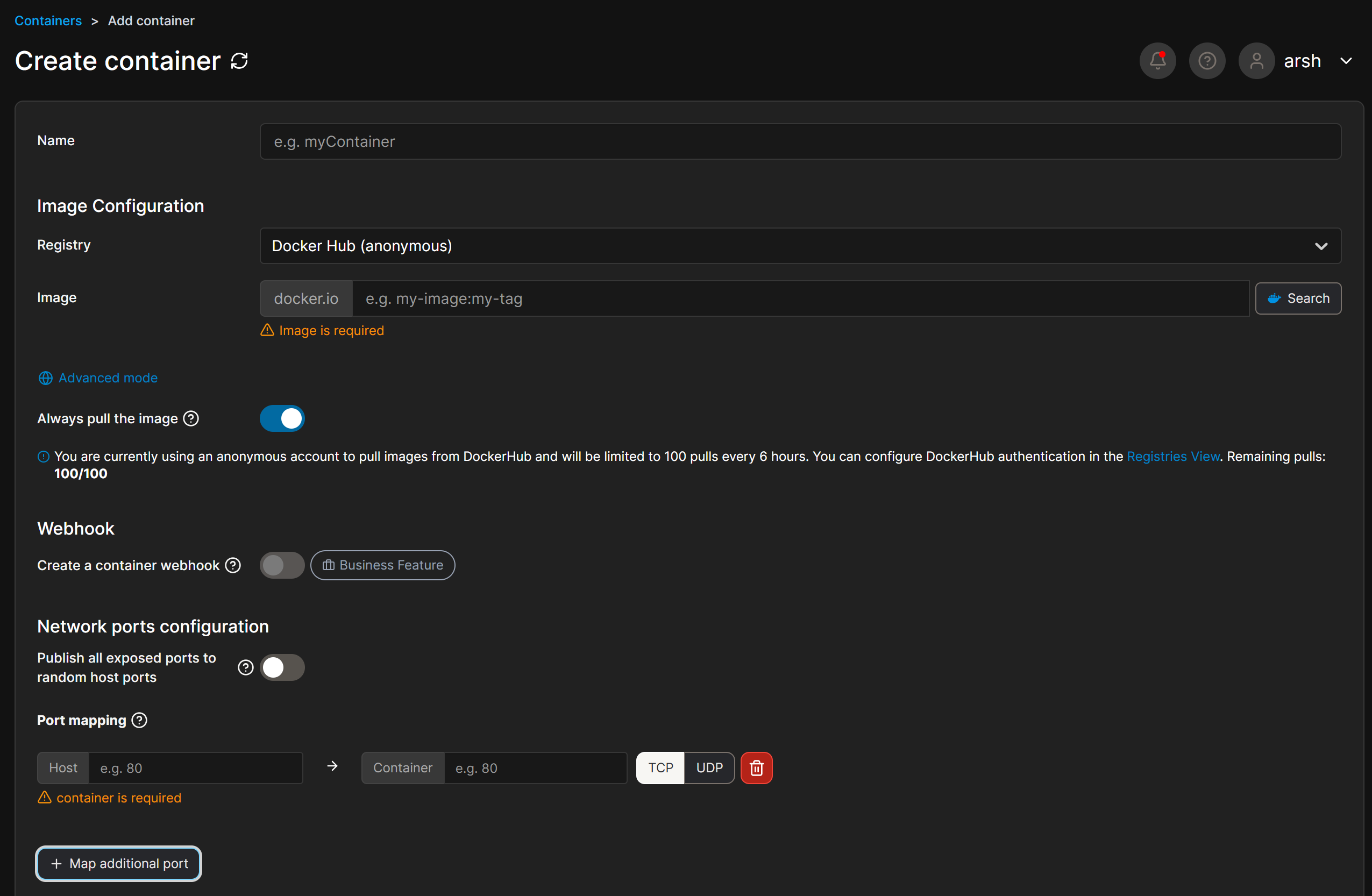
Containers → Add Container -
Fill in details:
-
Name:
whoami - Image:
containous/whoami -
Scroll to
Port mapping -
host: 8080→container: 80 - Set Network to
bridge - Click Deploy the container
App will now be running on: http://192.168.1.50:8080
2. Add Proxy in Nginx Proxy Manager (NPM)
Now app was running on localhost port and to make it public on internet, use NPM:
- Go to NPM Dashboard →
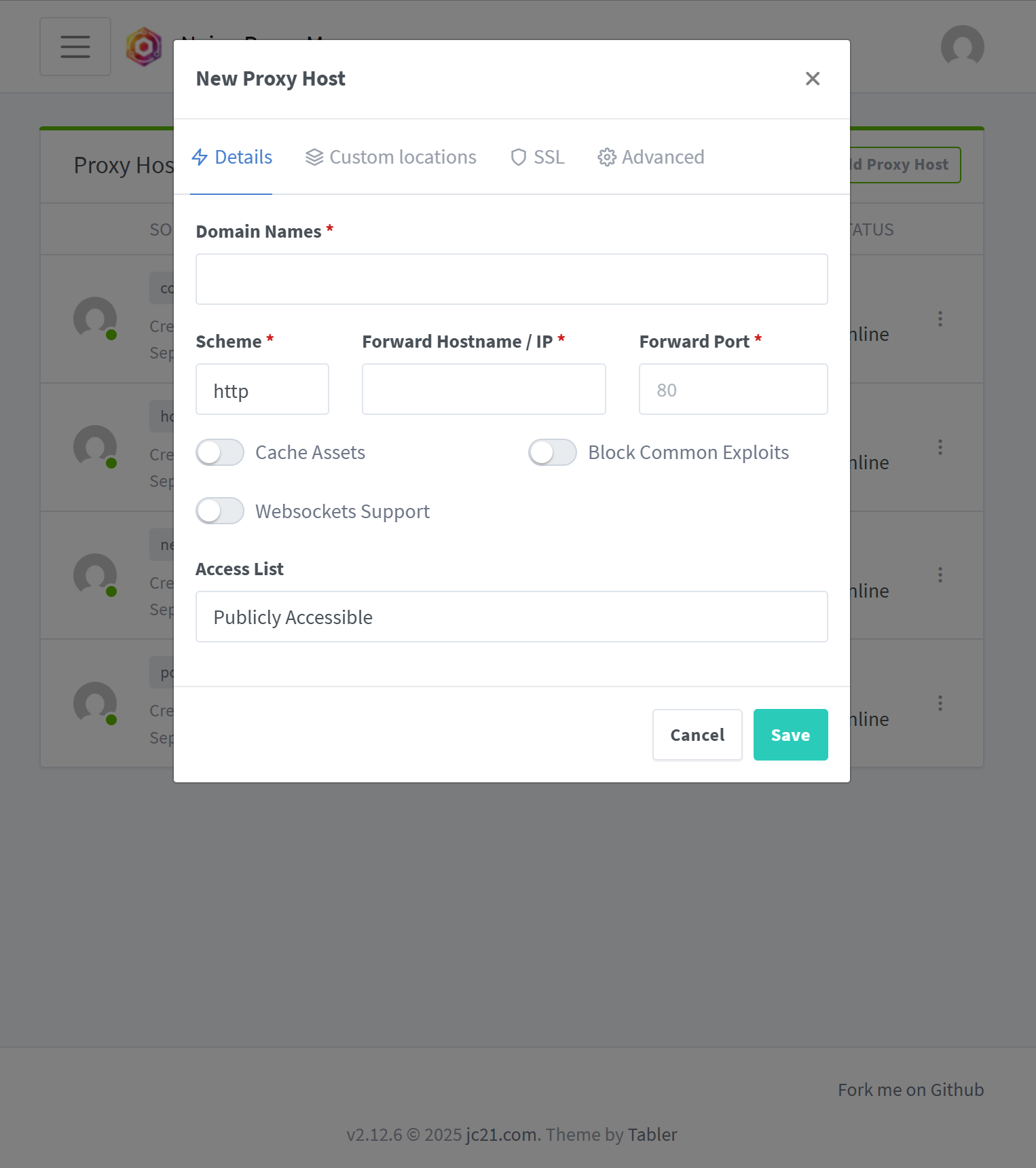
http://npm.itsarsh.dev - Click "Add Proxy Host"
-
Fill in the details:
-
Domain Name:
whoami.itsarsh.dev - Forward Hostname/IP:
192.168.1.50 - Forward Port:
8080 -
Check "Block Common Exploits"
-
Under SSL tab:
- Check Force SSL
- Check HTTP/2 Support
- Enable SSL and click "Request a new SSL Certificate"
- Click Save
Site is up and running and It can be viewed here,
Now visit: https://whoami.itsarsh.dev in your browser.